Photoshop合成冰凍特效的金魚場景【英】(3)
文章來源于 Tutsplus.com,感謝作者 Jenny Le 給我們帶來經精彩的文章!Step 4
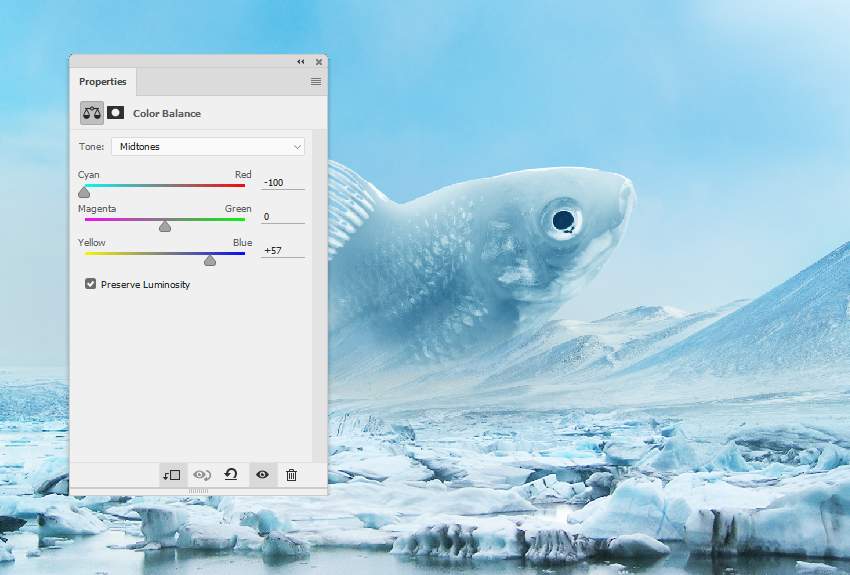
Create a Color Balance adjustment layer to make the fish's color fit the background.
Step 5
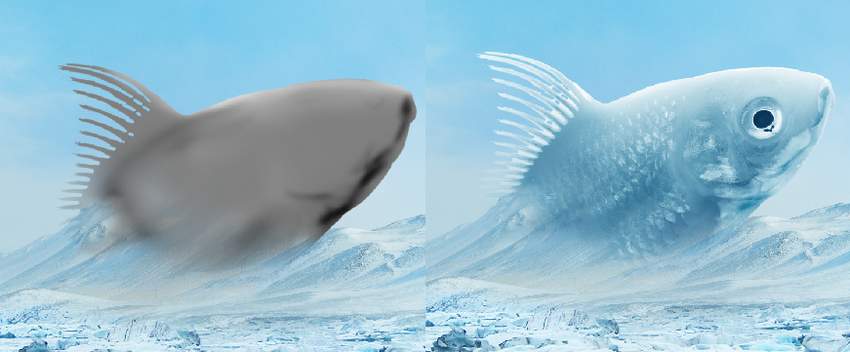
Make a new layer, change the mode to Overlay 100%, and fill with 50% gray.

Activate the Dodge and Burn Tool (O) with Midtones Range, Exposure about 10-20% to refine some light and shadow on the fish. You can see how I did it with Normal mode and the result with Overlay mode.
3. How to Make the Frozen Effect
Step 1
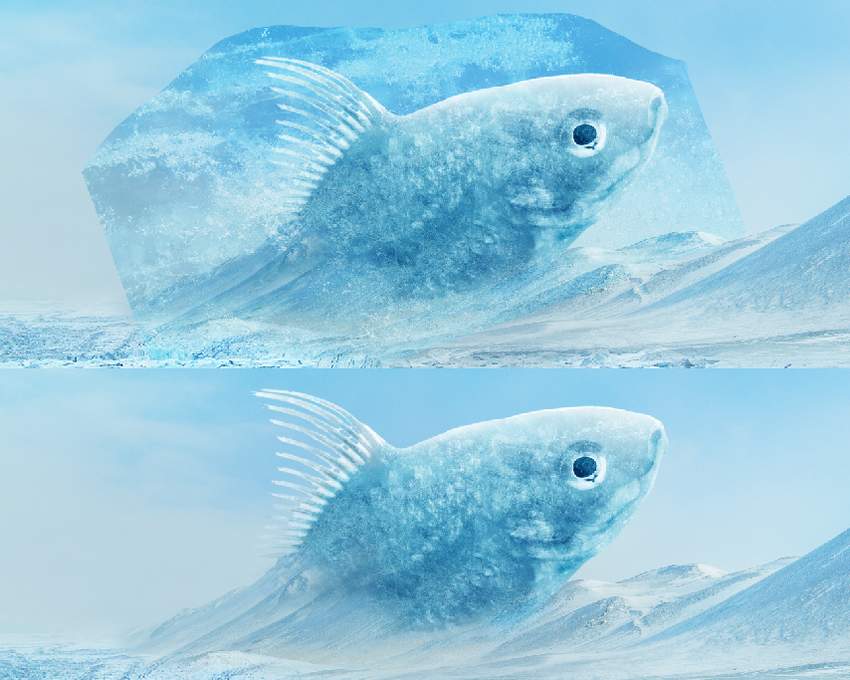
Place ice texture 1 over the fish and change this layer mode to Soft Light 100%.
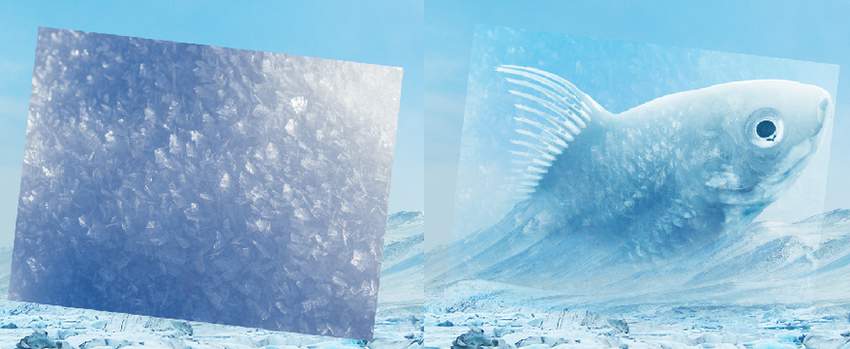
Use a layer mask to remove the part outside the fish.
Step 2
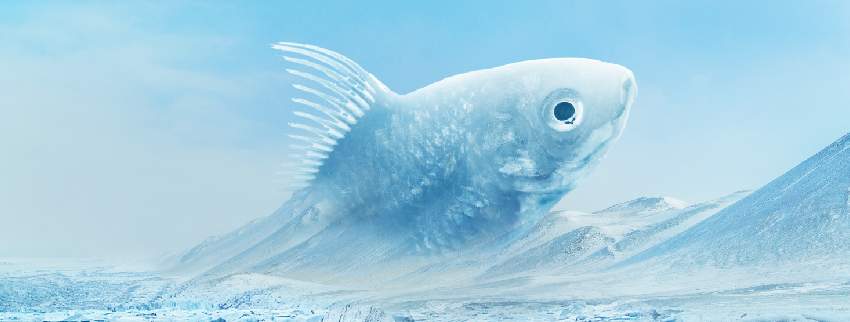
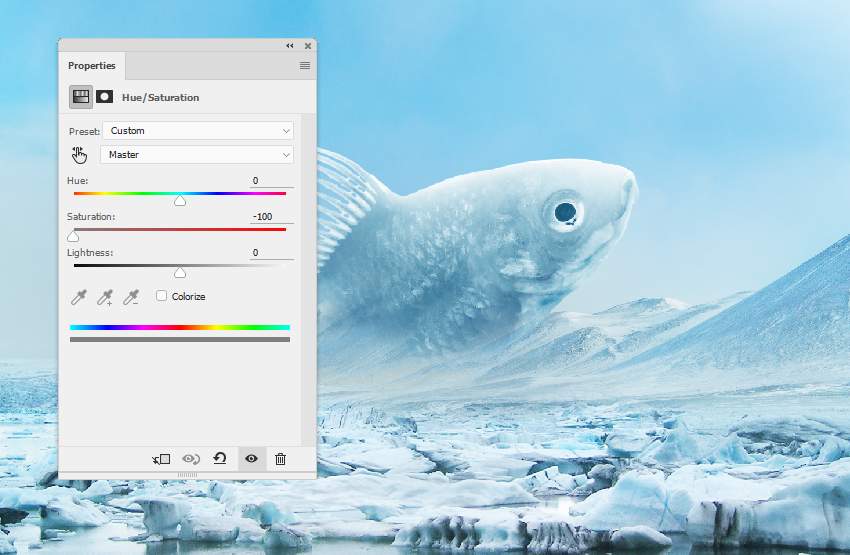
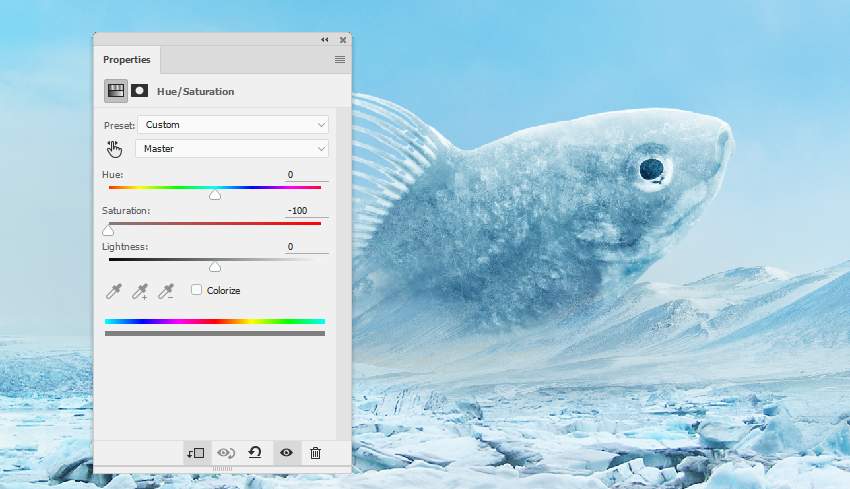
Add a Hue/Saturation adjustment layer to desaturate the effect's color.
Step 3
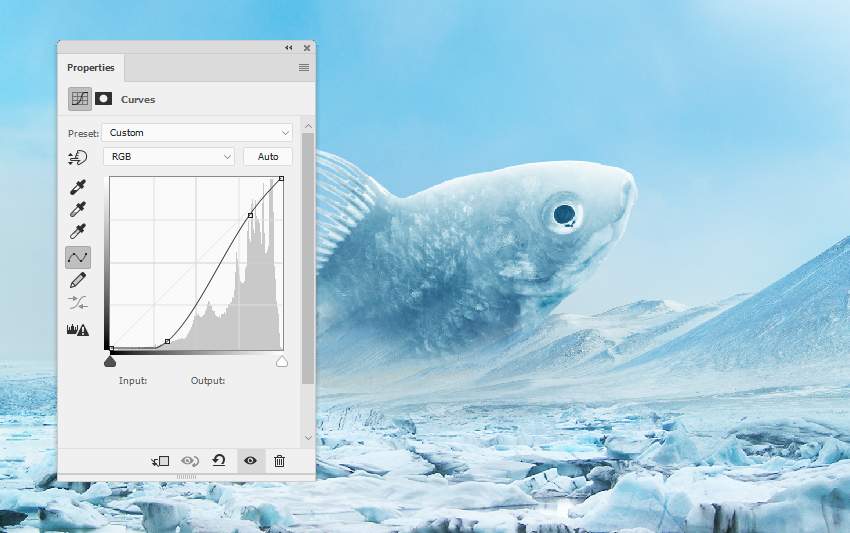
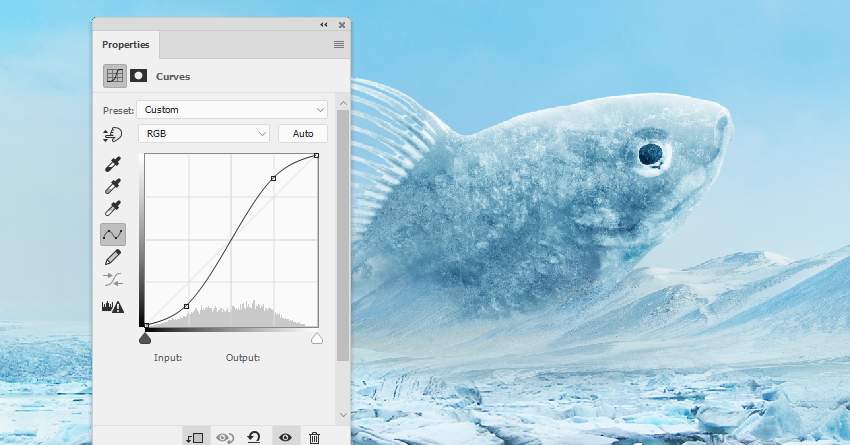
Use a Curves adjustment layer to increase the contrast of the effect.
Step 4
Add ice texture 2 using the same method.
Step 5
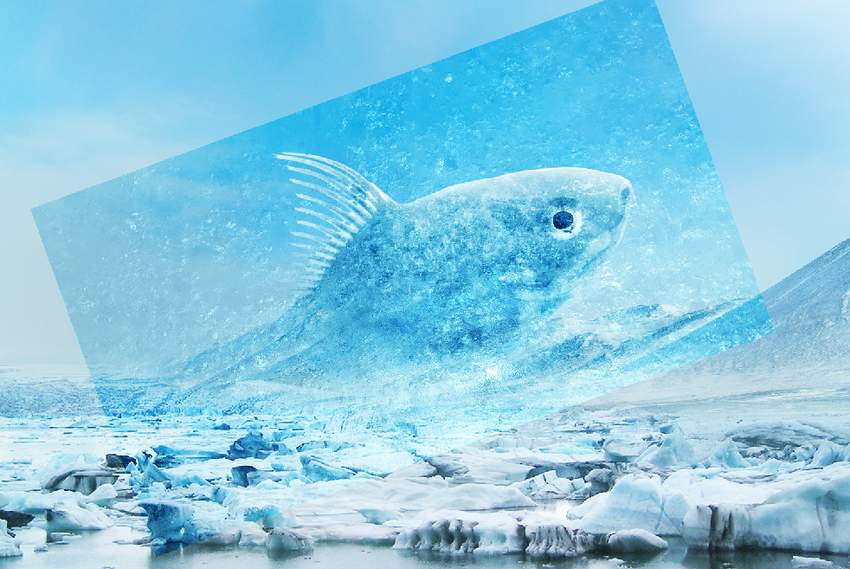
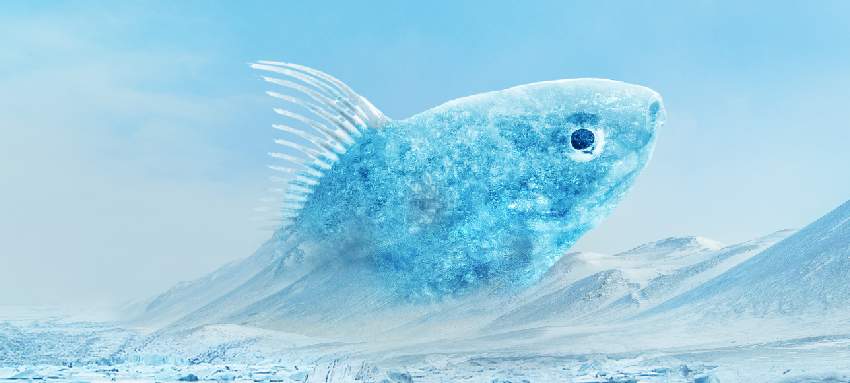
Place ice texture 3 onto the fish and change the mode to Overlay 100%. Apply a layer mask to clean any unwanted parts outside the fish.
 情非得已
情非得已
-
 Photoshop制作復古風格的老照片效果【英】2018-04-23
-
 Photoshop合成長著創意大樹的長頸鹿【英】2018-04-23
-
 Photoshop合成冰凍特效的金魚場景【英】2018-02-10
-
 Photoshop合成夢幻風格的森林場景【英】2018-02-10
-
 Photoshop合成正在施法的巫師【英】2018-02-10
-
 Photoshop制作金屬質感的3D立體字【英】2018-01-09
-
 Photoshop設計火焰燃燒藝術字教程【英】2018-01-09
-
Photoshop合成長著創意大樹的長頸鹿【英】
相關文章13832018-04-23
-
Photoshop合成夢幻風格的森林場景【英】
相關文章24492018-02-10
-
Photoshop合成正在施法的巫師【英】
相關文章8372018-02-10
-
 Photoshop合成絢麗空中翱翔的仙子【英】
相關文章7412018-01-05
Photoshop合成絢麗空中翱翔的仙子【英】
相關文章7412018-01-05
-
 Photoshop合成恐怖特效的萬圣節人像【英】
相關文章6702018-01-05
Photoshop合成恐怖特效的萬圣節人像【英】
相關文章6702018-01-05
-
 Photoshop合成被樹妖困住的女孩【英】
相關文章7152018-01-05
Photoshop合成被樹妖困住的女孩【英】
相關文章7152018-01-05
-
 Photoshop合成在天空中飛行的天使【英】
相關文章4622017-12-25
Photoshop合成在天空中飛行的天使【英】
相關文章4622017-12-25
-
 Photoshop合成城市被流星攻擊場景【英】
相關文章7142017-12-12
Photoshop合成城市被流星攻擊場景【英】
相關文章7142017-12-12