Photoshop合成正在施法的巫師【英】(7)
文章來源于 photoshoptutorials.ws,感謝作者 MARIA SEMELEVICH 給我們帶來經(jīng)精彩的文章!Step 120
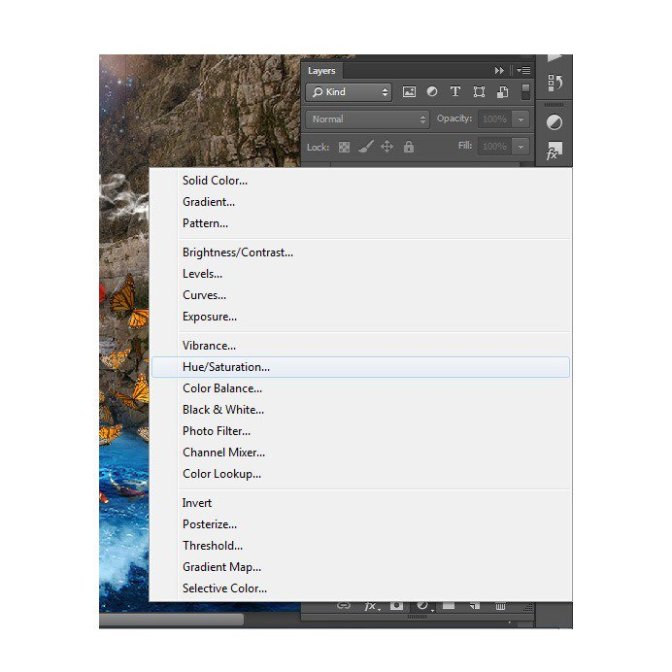
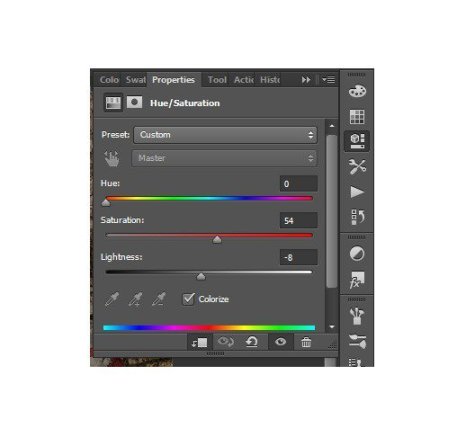
Add to a group adjustment layer Hue/Saturation… Set the settings as shown in the figure.
Step 121
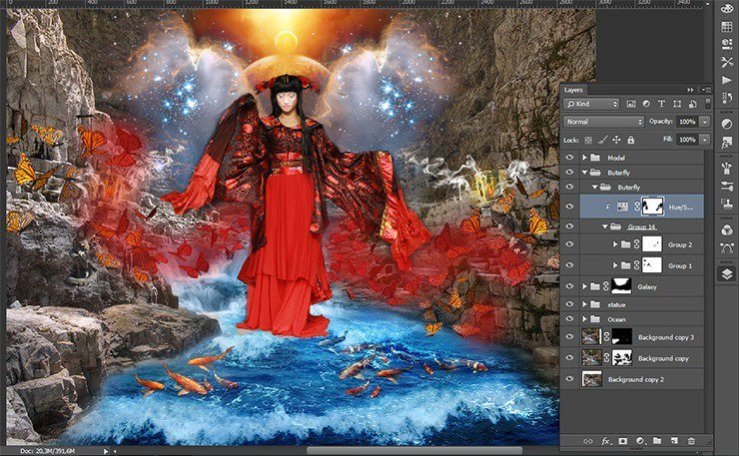
Take Brush Tool (B). Set these settings: Size: 75px, Hardness: 0% Opacity: 50% – 100%, Flow: 100%. In addition, remove the layer mask bit color.
Change the opacity of the brush to achieve a smooth transition between colors.
Step 122
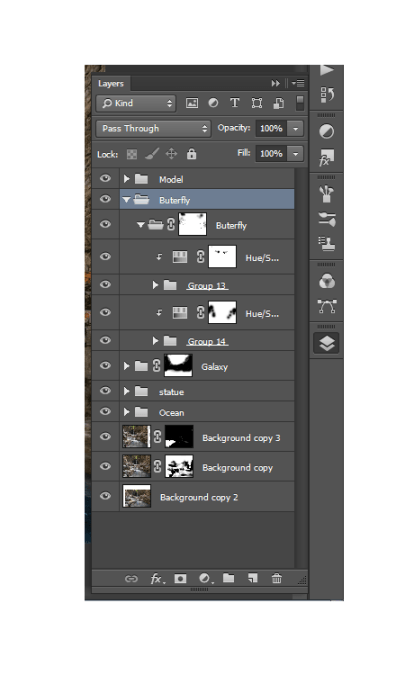
Combine all the butterflies with adjustment layers in one group
Step 123
Create a new layer above the group with butterflies. Hold down Alt and click on the group. If a new layer near an arrow, then all that will done on this layer apply only to group.
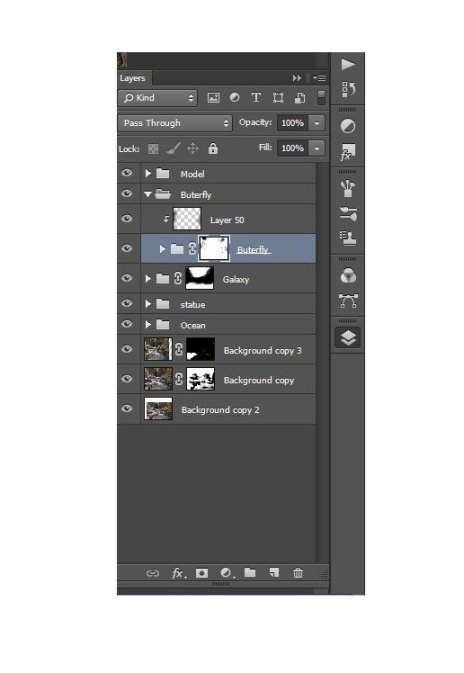
Step 124
Take Brush Tool (B). Set these settings: Size: 75px, Hardness: 0% Opacity: 50% – 100%, Flow: 100%. Set Black color and darken the edges of butterflies.

Step 125
Now add fire and flying sparks. Create a new group, name it «Fire», and create a new layer.
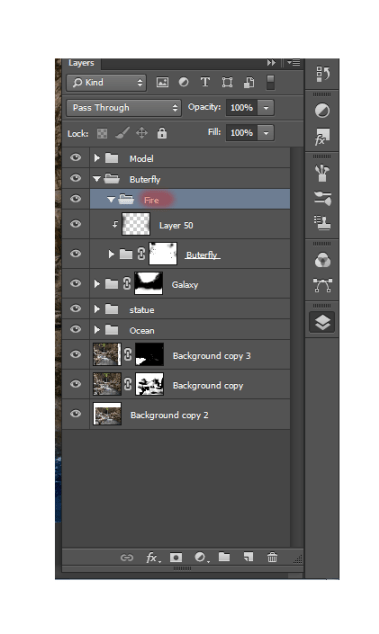
Step 126
Take Brush Tool (B). Set these settings: Size: 75px, Hardness: 0% Opacity: 60%, Flow: 100%. Choose a color # aa140d.
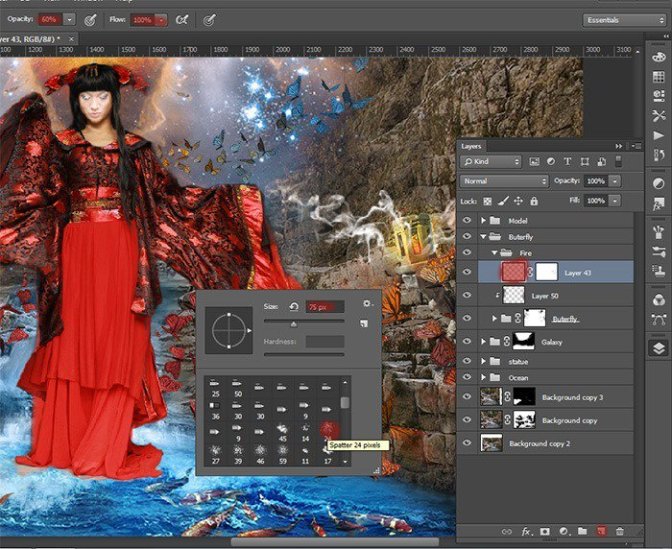
Step 127
Use this brush here. Carefully walk around it on the edges of the wings of left butterflies. Give effect fire, bringing the flames a bit.

Step 128
Do, a new layer is the same with the right butterflies.
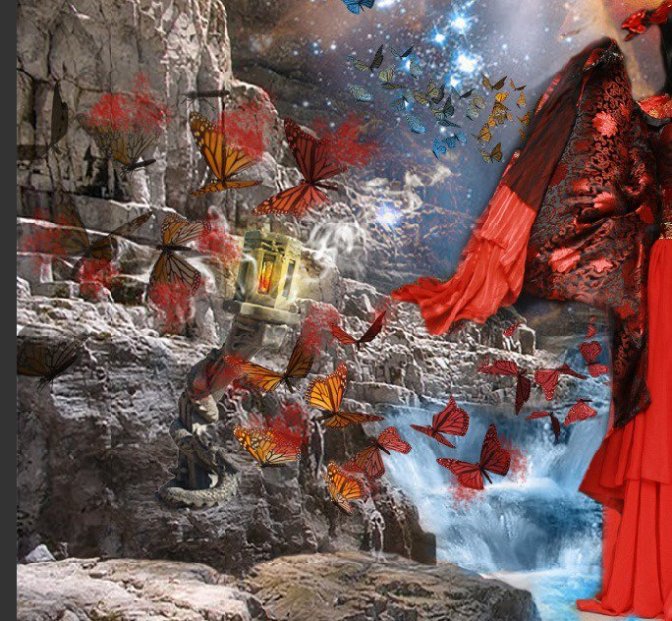
Step 129
Now let us work on the fire. Apply to each layer of motion blur effect, for this go to Filter> Blur > Motion blur. In the window that appears, set the following settings for the left layer


For the right layer:
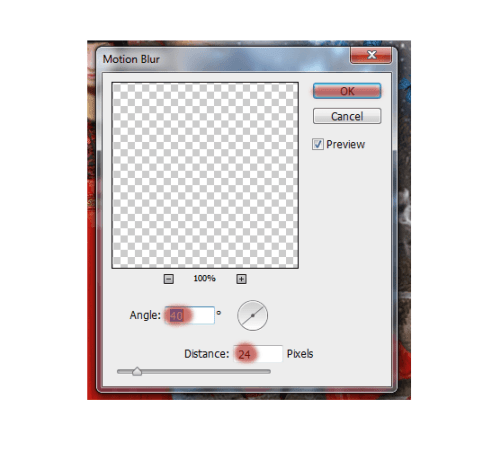
Create another new layer and repeat the application of fire, but now do not blur it.
Step 130
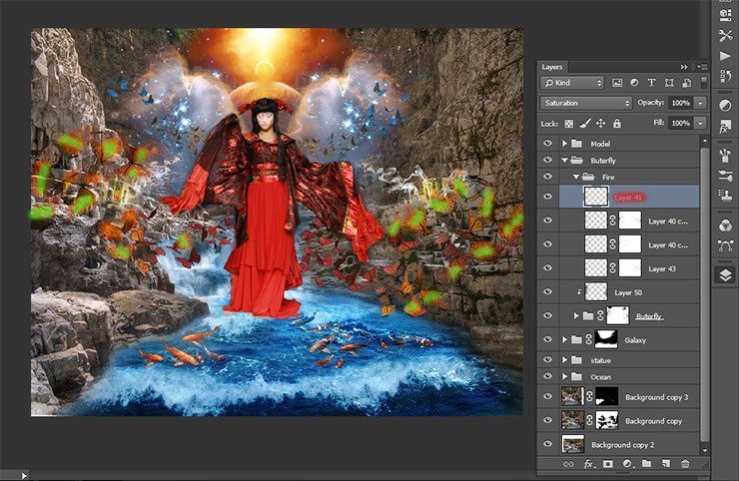
Now add shine and light the fire on the wings of butterflies. Create a new layer. Take the brush with these settings. Choose a color № ffb400 Remember this layer is above the rest. Now carefully draw the fire and the wings of butterflies. Do not paint over them completely. Green shows where I was putting color!
 情非得已
情非得已
-
 Photoshop制作復(fù)古風(fēng)格的老照片效果【英】2018-04-23
-
 Photoshop合成長著創(chuàng)意大樹的長頸鹿【英】2018-04-23
-
 Photoshop合成冰凍特效的金魚場景【英】2018-02-10
-
 Photoshop合成夢幻風(fēng)格的森林場景【英】2018-02-10
-
 Photoshop合成正在施法的巫師【英】2018-02-10
-
 Photoshop制作金屬質(zhì)感的3D立體字【英】2018-01-09
-
 Photoshop設(shè)計火焰燃燒藝術(shù)字教程【英】2018-01-09
-
Photoshop制作復(fù)古風(fēng)格的老照片效果【英】
相關(guān)文章11882018-04-23
-
Photoshop合成長著創(chuàng)意大樹的長頸鹿【英】
相關(guān)文章13832018-04-23
-
Photoshop合成冰凍特效的金魚場景【英】
相關(guān)文章34052018-02-10
-
 Photoshop制作黃金質(zhì)感立體字【英】
相關(guān)文章7422018-02-10
Photoshop制作黃金質(zhì)感立體字【英】
相關(guān)文章7422018-02-10
-
 Photoshop制作驚艷大氣的3D立體字
相關(guān)文章14682018-02-10
Photoshop制作驚艷大氣的3D立體字
相關(guān)文章14682018-02-10
-
Photoshop合成夢幻風(fēng)格的森林場景【英】
相關(guān)文章24492018-02-10
-
 Photoshop制作復(fù)古雙重曝光字體
相關(guān)文章6532018-01-09
Photoshop制作復(fù)古雙重曝光字體
相關(guān)文章6532018-01-09
-
 Photoshop制作木地板LOGO刻印效果【英】
相關(guān)文章19272018-01-09
Photoshop制作木地板LOGO刻印效果【英】
相關(guān)文章19272018-01-09