Photoshop合成正在施法的巫師【英】(2)
文章來源于 photoshoptutorials.ws,感謝作者 MARIA SEMELEVICH 給我們帶來經精彩的文章!Step 21
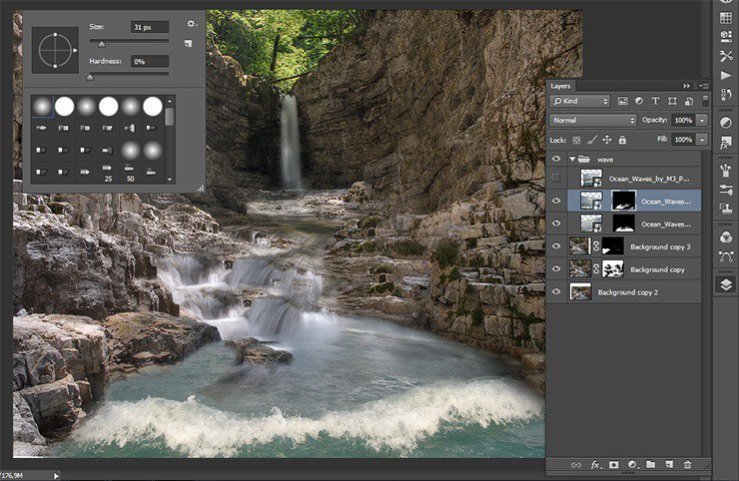
Change the brush size that you feel comfortable. Otherwise, you can remove what you need. To change the brush size shout RMB in our document and set the desired size.
Step 22
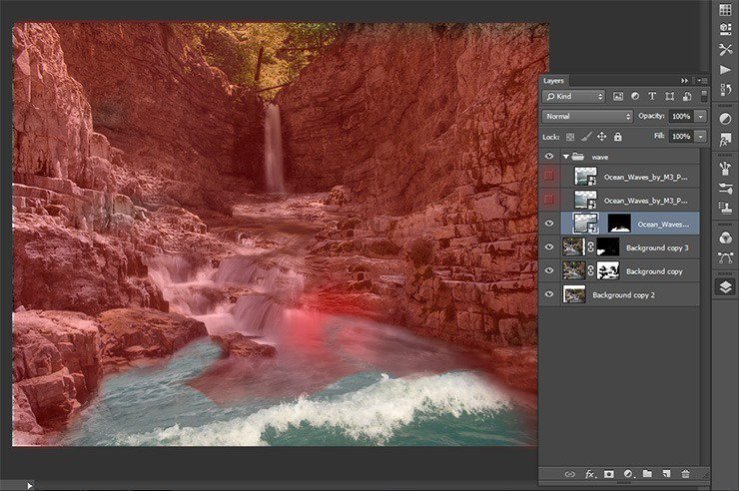
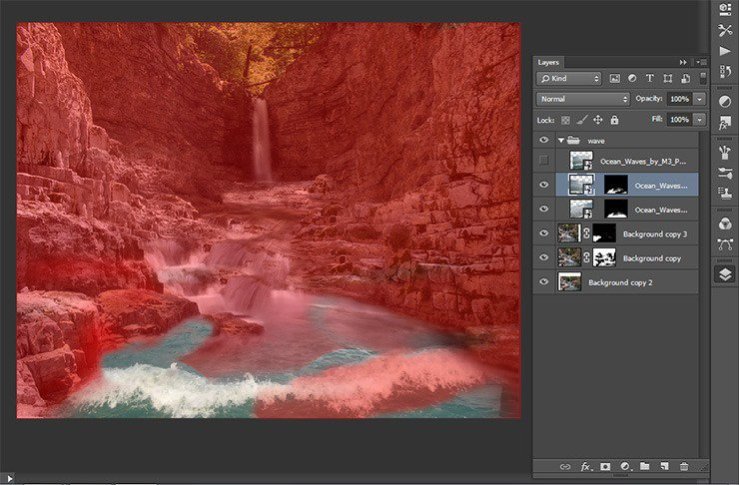
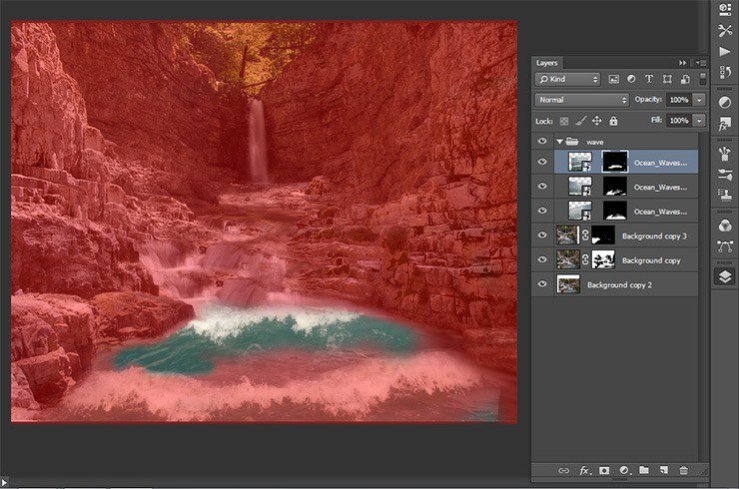
On the first and second layer, remove portions of the image beyond the borders of the river. Most of the sea, so that only stay the wave. The main thing is not to damage the crest of a wave.
Step 23
That’s how I got.

Step 24
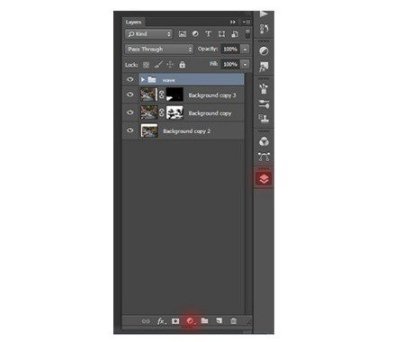
I do not like the color of the waves, so I added some adjustment layers to the group with the waves to change their color. The first is a photo filter. Go to Layer> New Adjustment Layer > Photo Filter.

or click on the icon add an adjustment layer in the Layers palette.
Step 25
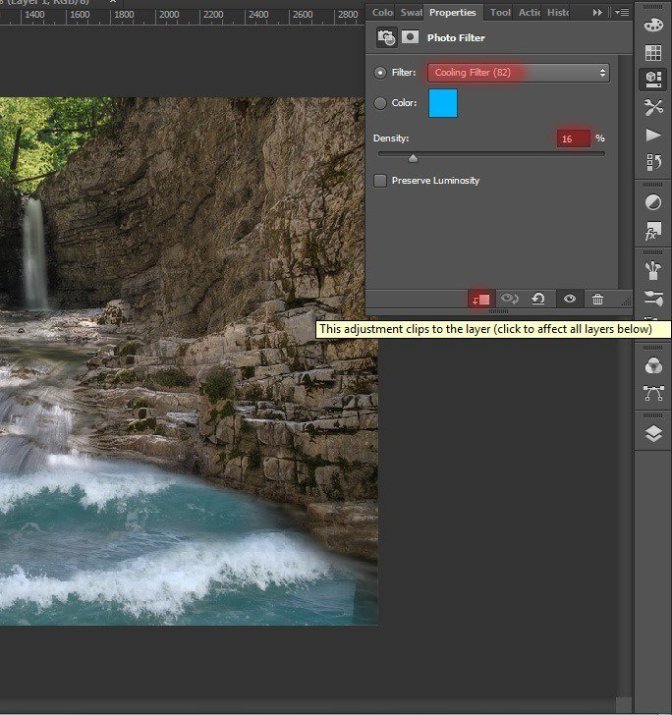
In the appeared window, enter the following settings: Filter – Cooling Filter (82), Density -16%.
Step 26
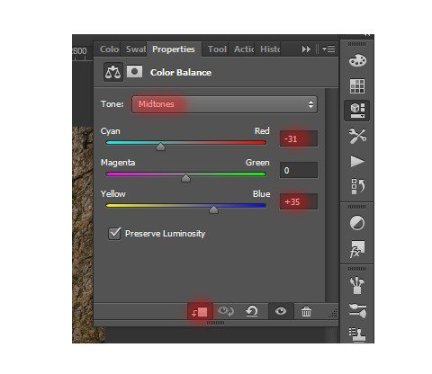
Adding a second layer. Go to Layer> New Adjustment Layer > Color Balance. In the appeared window, enter the following settings: Tone – Midtones, Cyan: -31, Yellow +35.
Step 27
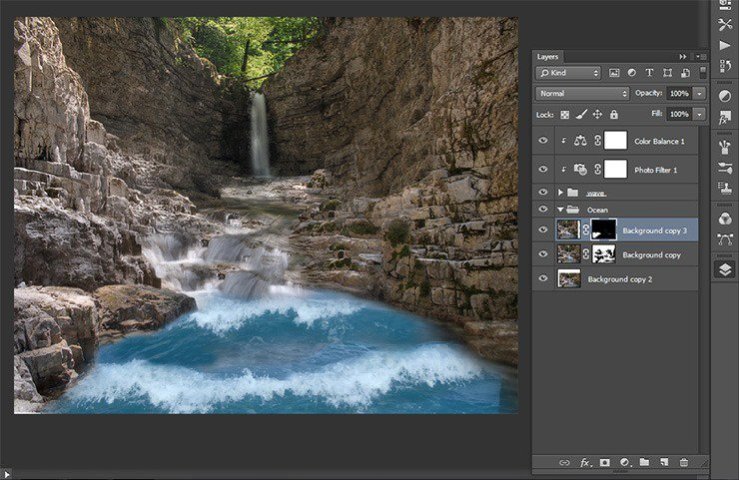
Here’s how is it after adding adjustment layers.
Step 28
I want the image looked more realistic. So, I’ll add little waves. Go to File > Place and select the desired file.
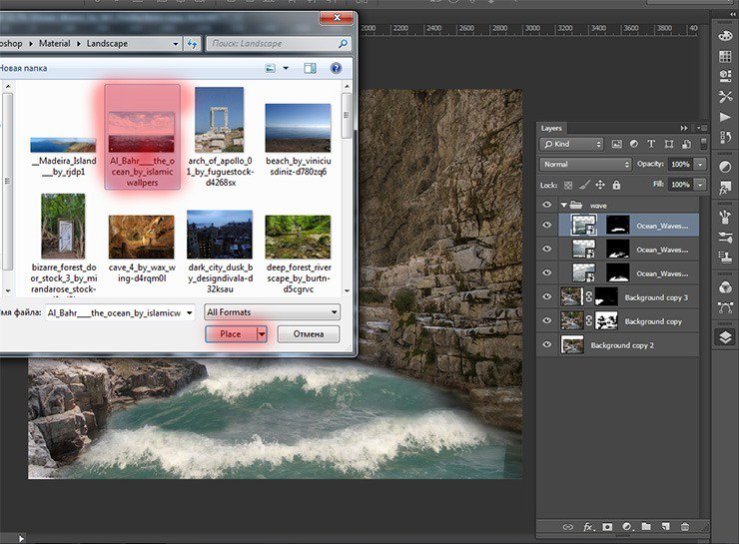
Step 29
Transform file placed so that the edges placed at the edge of the image came shores.
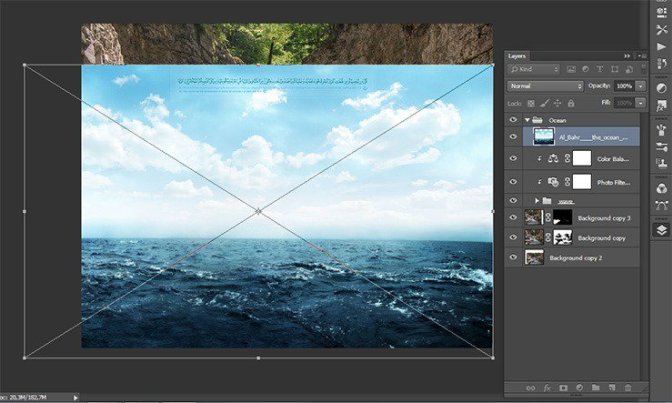
Step 30
Add a mask to this layer and previous Brush (Size: 200px, Hardness: 0% Opacity: 75%, Flow: 70%) and clean the parts of the image, where they not needed. Be sure to remove the waves from the shore and horizon. Not to make such a sharp transition waves near the horizon change brush opacity and size settings.
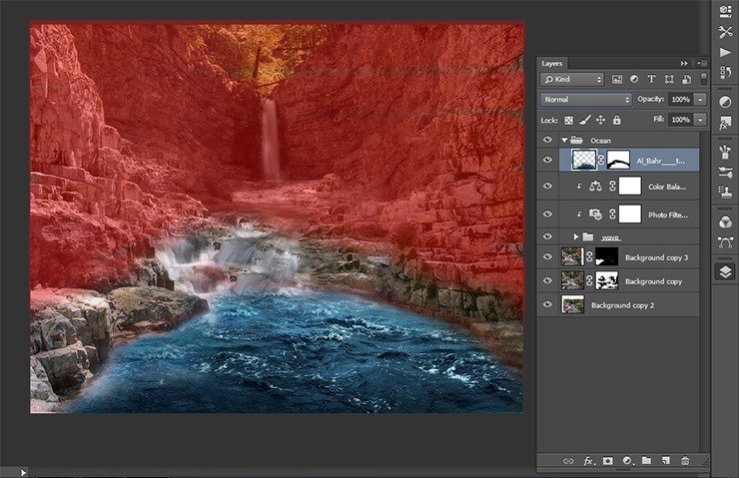
Step 31
Now change the blending mode for this layer. Click the Advanced tab, click on the layers. In drop-down list, select “Overlay”.
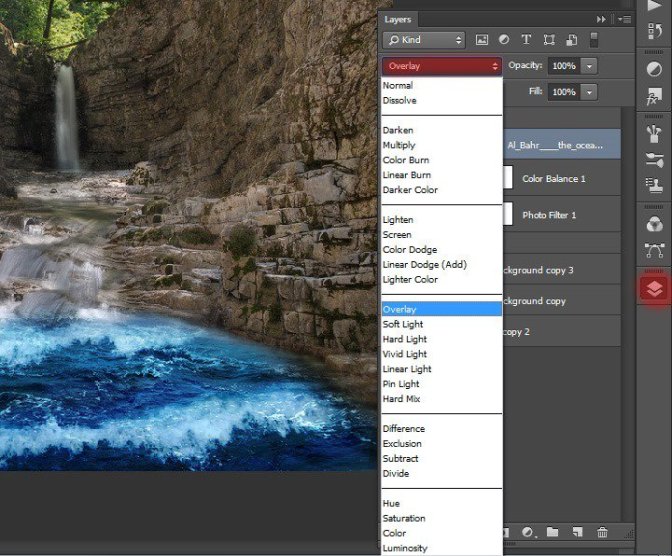
Step 32
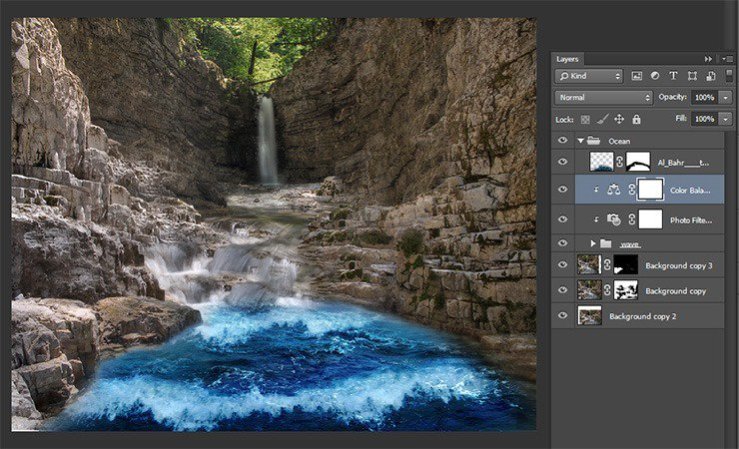
Here is the result of the work done.
Step 33
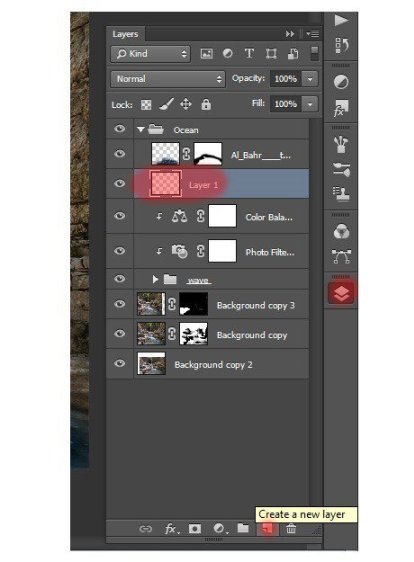
Now I wanted to add brightness and blueness of the water and falls to combine composition. For our work needs bright colored water, it will give liveliness picture. So, create a new layer. Click on the new layer icon in the Layers panel or the short key Shift+ Ctrl+ N. The new layer should be under a layer with small waves.
Step 34
Select a Brush Tool (B) with these settings: Size: 150px, Hardness: 0% Opacity: 100%, Flow: 100%. Set the color # 2c8ed2 and paint on the layer in places where there is water. Be sure to paint the waterfall and place seam texture waves and waterfalls. Change the brush size for more convenience.

Step 35
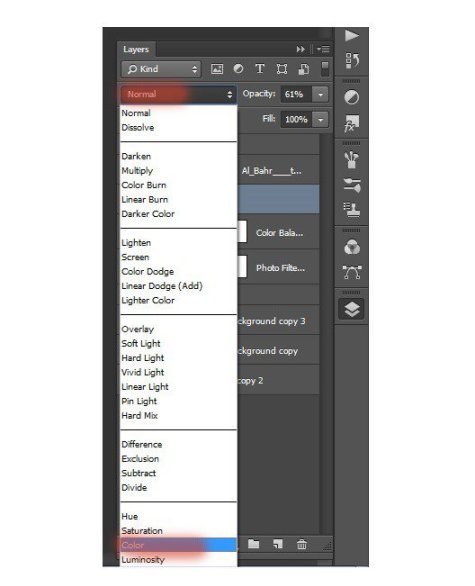
Now change the blending mode for this layer. Click the Advanced tab, click on the layers. Drop-down list, select “Color”.
Step 36
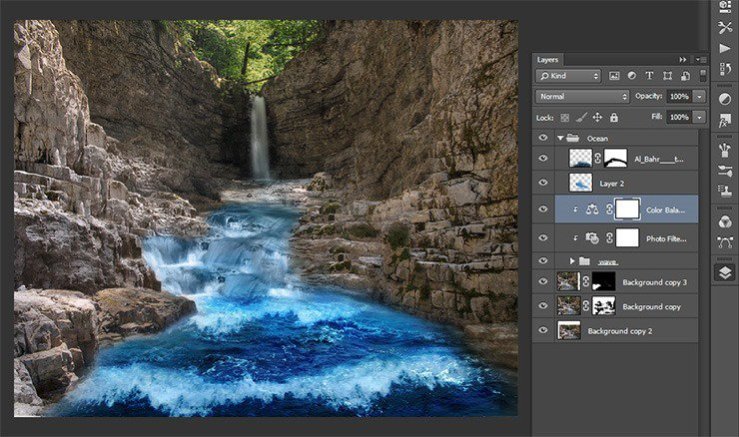
Our amphitheater is ready! Here’s how it has turned out at me. Now we will add a small item and proceed to the most interesting part of our image. Merge all layers in the group and name it “Ocean”.
Step 37
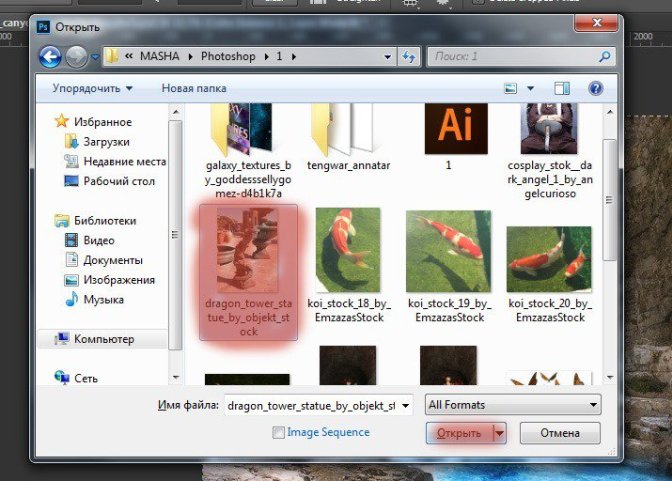
Add Stone lamps to our image. Go to file – Open or the short key Ctrl+ O. Locate the file with torches in the Chinese style, select it and click Open.
Step 38
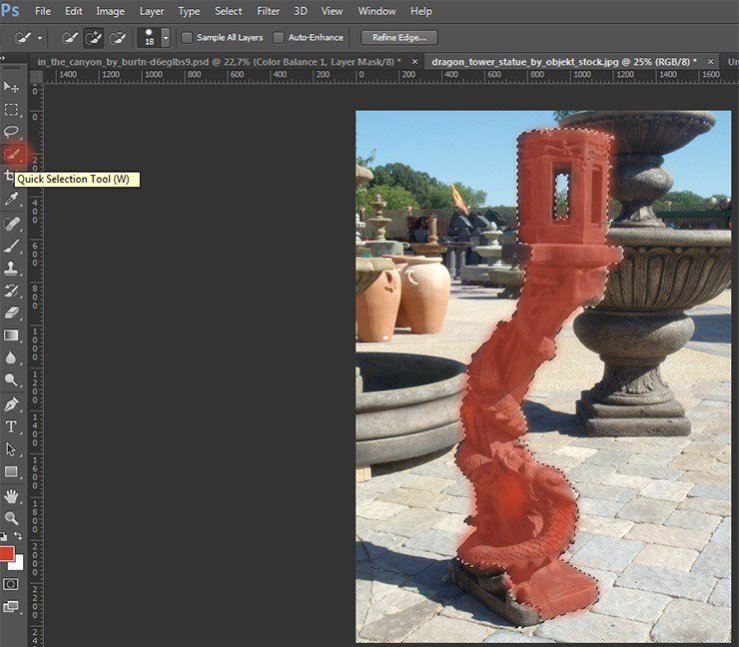
Now select the Quick Selection Tool (W) of the toolbar and draw the lantern. If you need to remove some of the region, which are not included in the selection, hold Alt and remove them.
 情非得已
情非得已
-
 Photoshop制作復古風格的老照片效果【英】2018-04-23
-
 Photoshop合成長著創意大樹的長頸鹿【英】2018-04-23
-
 Photoshop合成冰凍特效的金魚場景【英】2018-02-10
-
 Photoshop合成夢幻風格的森林場景【英】2018-02-10
-
 Photoshop合成正在施法的巫師【英】2018-02-10
-
 Photoshop制作金屬質感的3D立體字【英】2018-01-09
-
 Photoshop設計火焰燃燒藝術字教程【英】2018-01-09
-
Photoshop制作復古風格的老照片效果【英】
相關文章11882018-04-23
-
Photoshop合成長著創意大樹的長頸鹿【英】
相關文章13832018-04-23
-
Photoshop合成冰凍特效的金魚場景【英】
相關文章34052018-02-10
-
 Photoshop制作黃金質感立體字【英】
相關文章7422018-02-10
Photoshop制作黃金質感立體字【英】
相關文章7422018-02-10
-
 Photoshop制作驚艷大氣的3D立體字
相關文章14682018-02-10
Photoshop制作驚艷大氣的3D立體字
相關文章14682018-02-10
-
Photoshop合成夢幻風格的森林場景【英】
相關文章24492018-02-10
-
 Photoshop制作復古雙重曝光字體
相關文章6532018-01-09
Photoshop制作復古雙重曝光字體
相關文章6532018-01-09
-
 Photoshop制作木地板LOGO刻印效果【英】
相關文章19272018-01-09
Photoshop制作木地板LOGO刻印效果【英】
相關文章19272018-01-09