Photoshop制作復古風格的老照片效果【英】(4)
文章來源于 站酷,感謝作者 Melody Nieves 給我們帶來經精彩的文章!Step 5
Now for the texture and scratches.
Old photos age usually due to chemical reactions over time and general wear and tear.
Copy and Paste the Paper Texture image onto a New Layer underneath the picture frame layer.
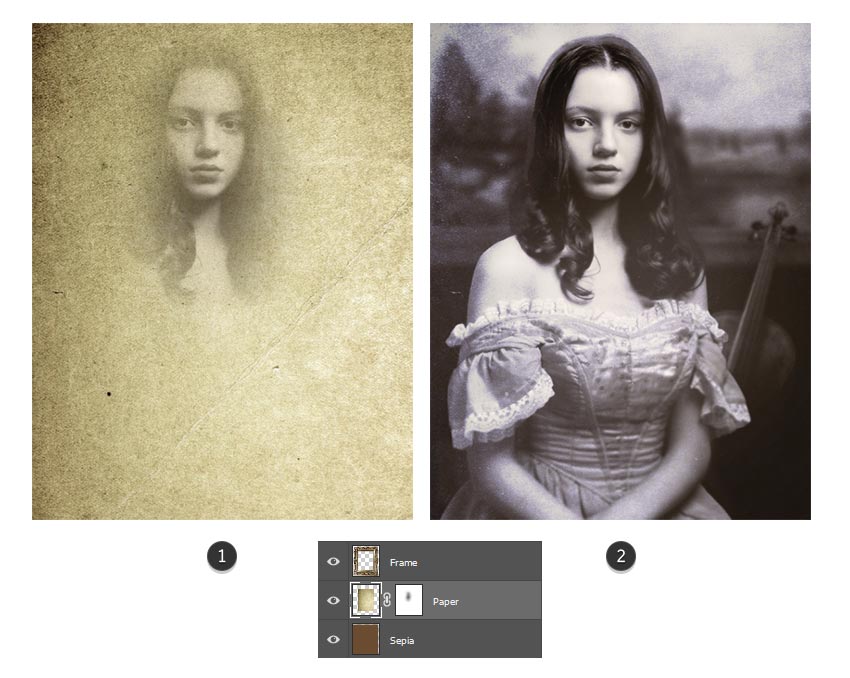
Use the Free Transform Tool (Control-T) to rotate the image so that it's at a portrait orientation. Add aLayer Mask to the paper and use a Soft Round Brush to mask out her face.
Then lower the Opacity to 48% and set the Layer Blend Mode to Divide.
Step 6
Now for the scratches.
Open the Scratch Texture image. Go to Image > Adjustments > Hue and Saturation, and lower the Saturation to -100 to turn the image black and white.
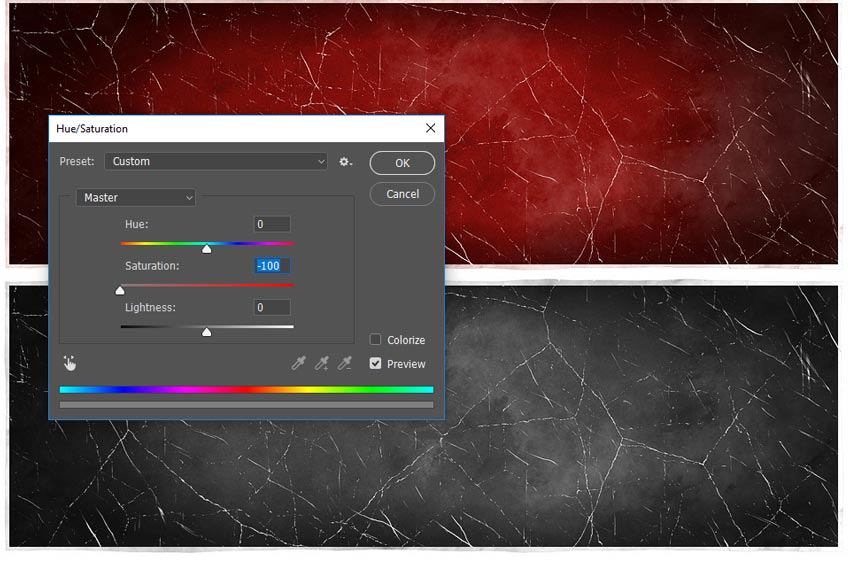
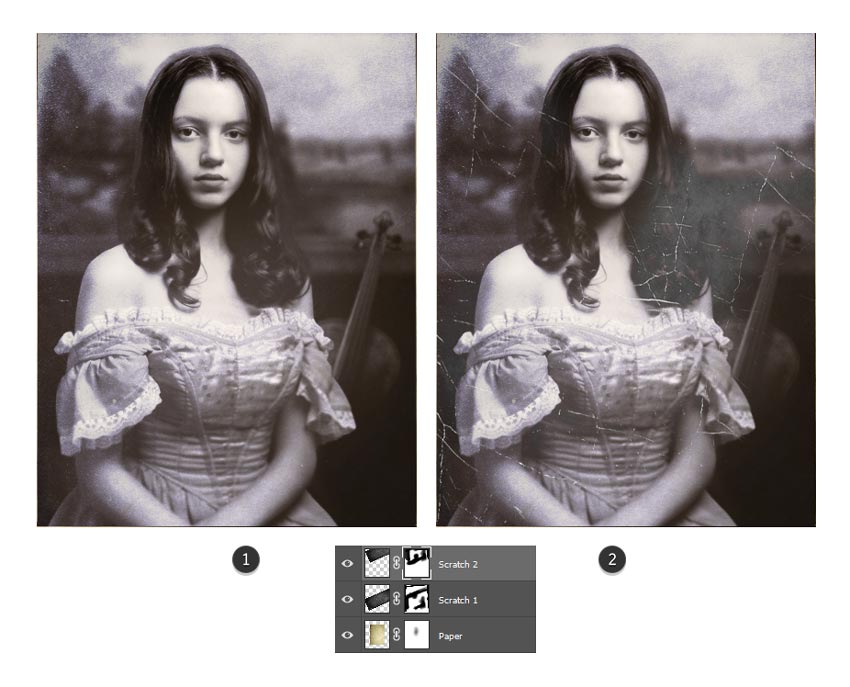
Copy and Paste the scratch image onto a New Layer above the paper layer.
Use the Free Transform Tool (Control-T) to rotate the image counter-clockwise. Then add a Layer Mask to mask out areas where you don't want the scratches to appear. Set the Layer Blend Mode to Lighten and lower the Opacity to 92%.
Duplicate this layer and repeat this step, this time rotating the image to place the scratches in another section of the photo. Diffuse the areas you don't want showing.
Step 7
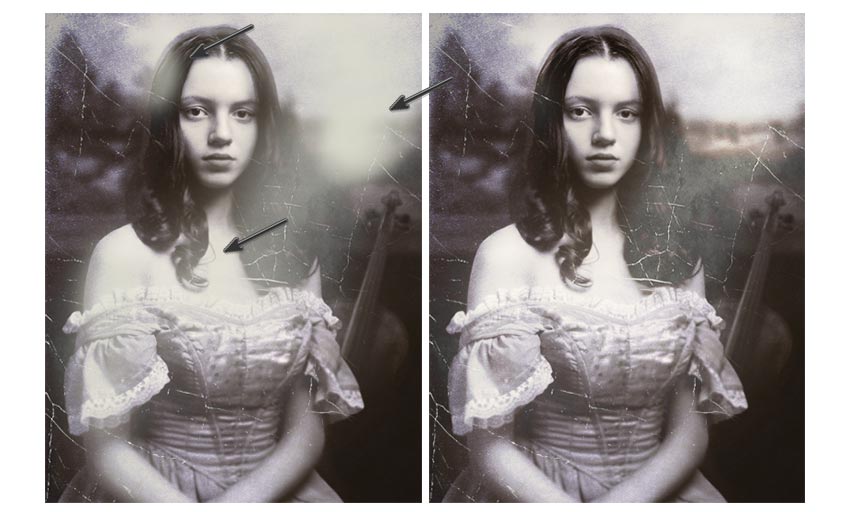
Let's finish up by blowing out the light a little more.
Set a New Layer to Overlay. Use a Soft Round Brush and a pale yellow color #cfcfc2 to paint bright spots of light onto the photo. I chose to add some light to her shoulder and the background landscape.
Now set the Layer Blend Mode to Overlay.
4. How to Create a Vignette Effect
For this last section, all we need is to correct some of the colors with Adjustment Layers before adding a dramatic vignette effect.
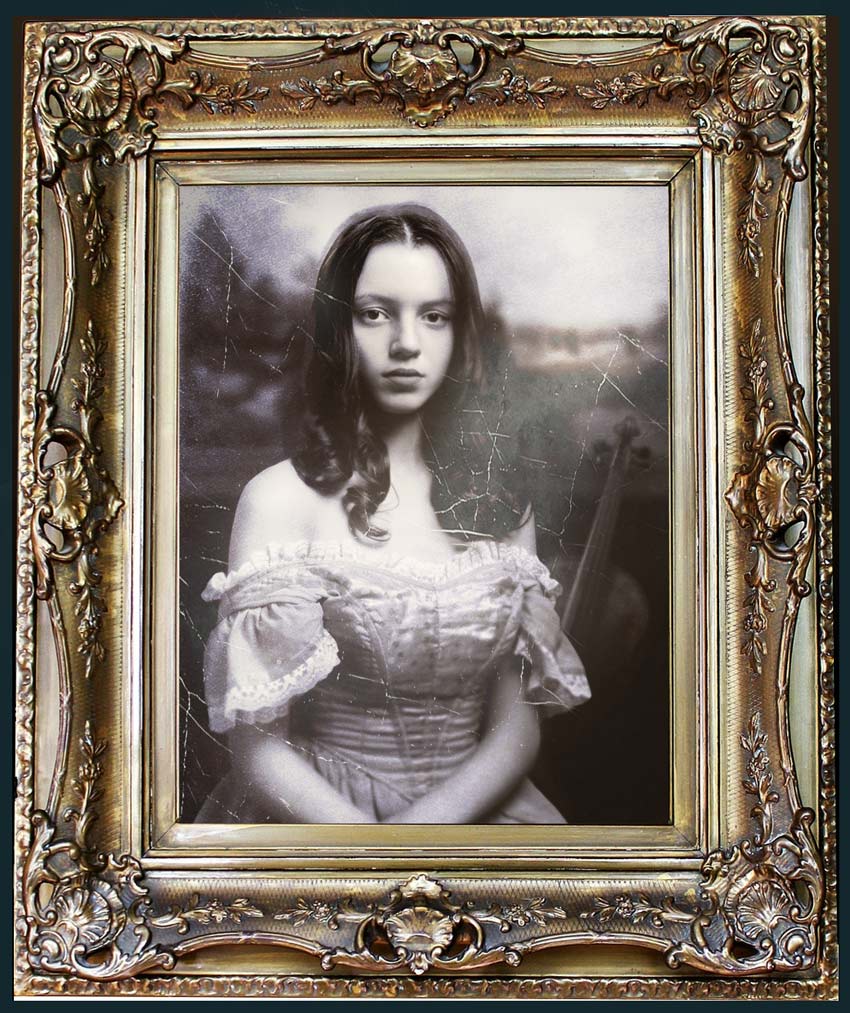
Here is our composition so far. Great work!
Step 1
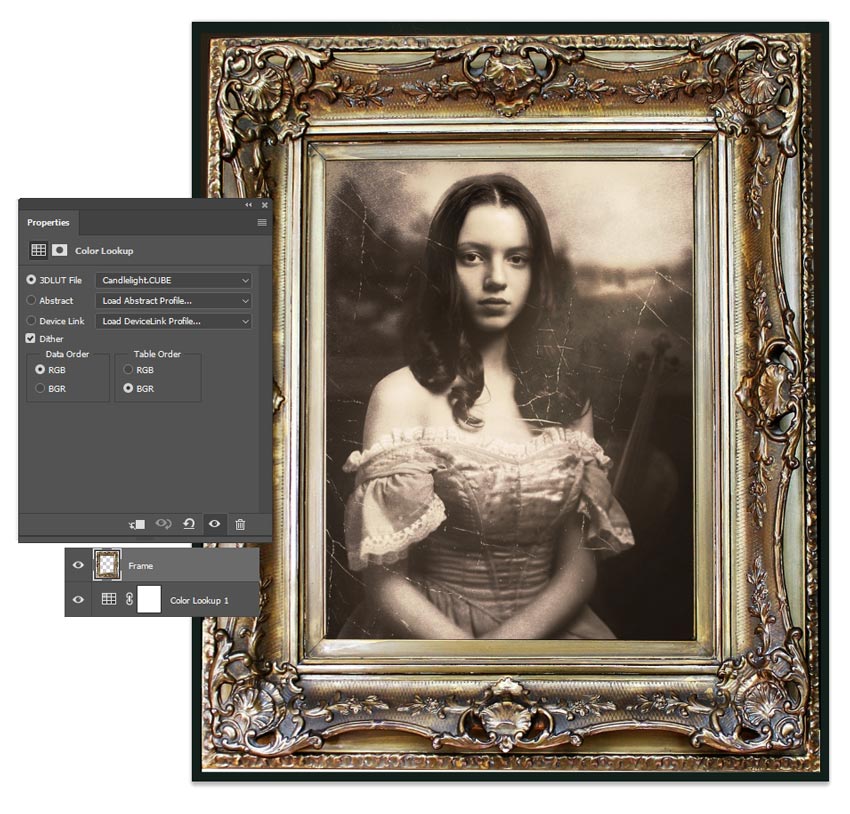
Add a New Adjustment Layer of Color Lookup underneath the picture frame layer.
Set the 3D LUT File to Candlelight.CUBE and the Layer Blend Mode to Darken, and lower the Opacity to 86%.
Now it's looking super vintage!
Step 2
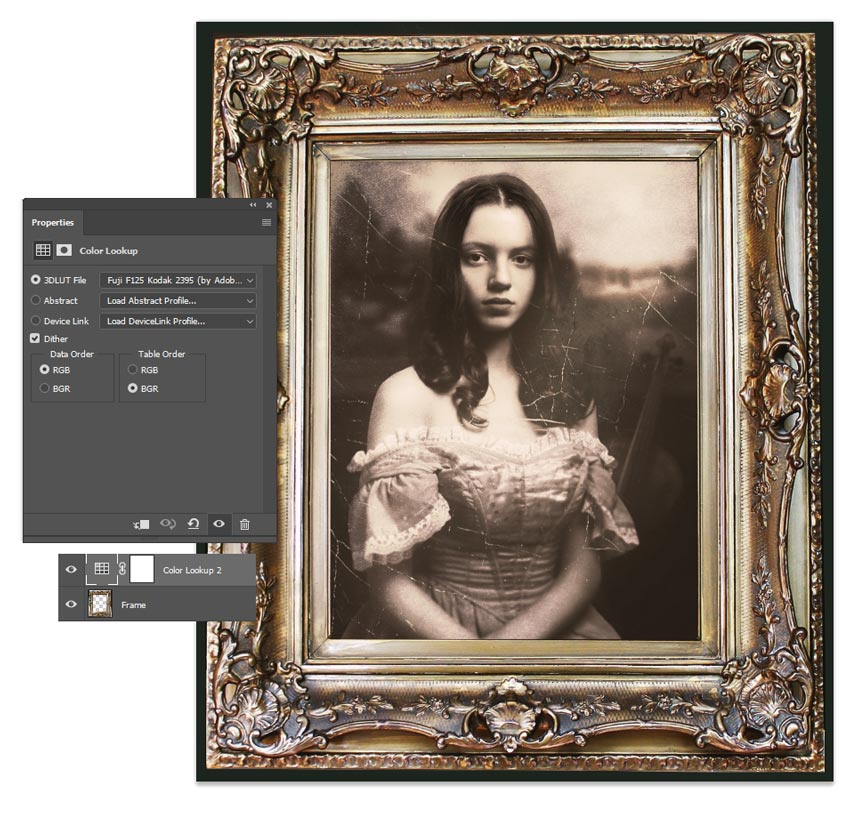
Create another New Adjustment Layer of Color Lookup above the picture frame layer.
Set the 3D LUT File to Fuji F125 Kodak 2395. Lower the Opacity to 45%.
 情非得已
情非得已
-
 Photoshop制作復古風格的老照片效果【英】2018-04-23
-
 Photoshop合成長著創意大樹的長頸鹿【英】2018-04-23
-
 Photoshop合成冰凍特效的金魚場景【英】2018-02-10
-
 Photoshop合成夢幻風格的森林場景【英】2018-02-10
-
 Photoshop合成正在施法的巫師【英】2018-02-10
-
 Photoshop制作金屬質感的3D立體字【英】2018-01-09
-
 Photoshop設計火焰燃燒藝術字教程【英】2018-01-09
-
 Photoshop制作黃金質感立體字【英】
相關文章7422018-02-10
Photoshop制作黃金質感立體字【英】
相關文章7422018-02-10
-
 Photoshop制作驚艷大氣的3D立體字
相關文章14682018-02-10
Photoshop制作驚艷大氣的3D立體字
相關文章14682018-02-10
-
Photoshop合成夢幻風格的森林場景【英】
相關文章24492018-02-10
-
 Photoshop制作復古雙重曝光字體
相關文章6532018-01-09
Photoshop制作復古雙重曝光字體
相關文章6532018-01-09
-
 Photoshop制作木地板LOGO刻印效果【英】
相關文章19272018-01-09
Photoshop制作木地板LOGO刻印效果【英】
相關文章19272018-01-09
-
Photoshop制作金屬質感的3D立體字【英】
相關文章4612018-01-09
-
 Photoshop制作復古花朵組成的藝術字【英】
相關文章3802018-01-09
Photoshop制作復古花朵組成的藝術字【英】
相關文章3802018-01-09
-
 Photoshop制作可愛的糖果餅干字【英】
相關文章6722017-12-25
Photoshop制作可愛的糖果餅干字【英】
相關文章6722017-12-25