Photoshop制作驚艷大氣的3D立體字(2)
文章來源于 Tutsplus.com,感謝作者 Rose 給我們帶來經精彩的文章!Double-click the Ellipse layer to apply the following layer style:
Step 2
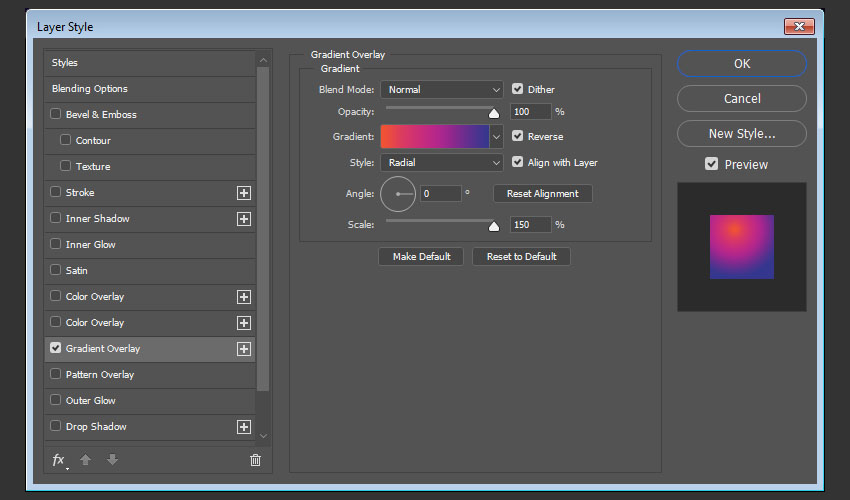
Add a Gradient Overlay with these settings:
Check the Dither box
Style: Radial
Angle: 0
Scale: 150%
Check the Reverse box if needed.
Click the Gradient box to create the gradient using the Colors #35378e to the left, #b62789 in the center, and #f15332 to the left.
You can use any other colors you like for the gradient to get different outcomes.
Step 3
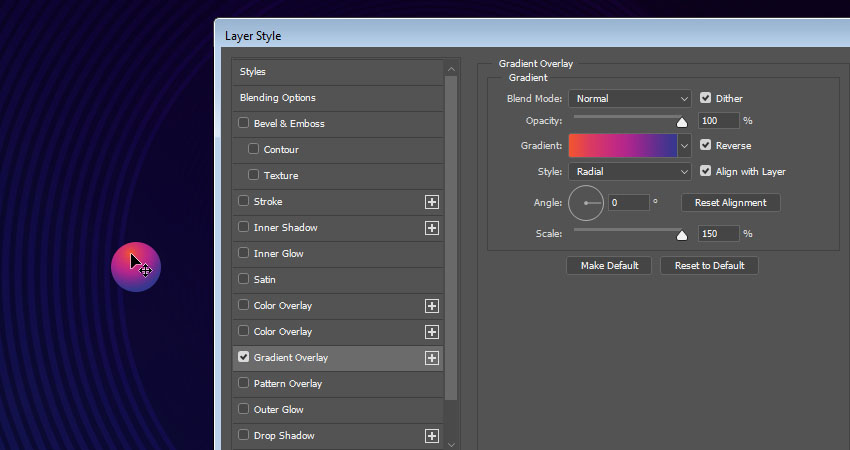
We need to move the gradient to the top of the ellipse. To do so, click-drag the gradient fill inside the ellipse.
Step 4
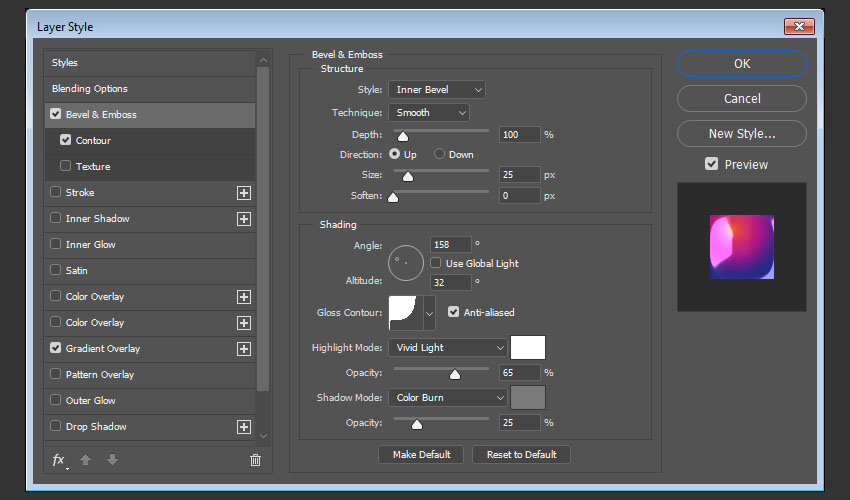
Add a Bevel and Emboss with these settings:
Size: 25
Uncheck the Use Global Light box
Angle: 158
Altitude: 32
Gloss Contour: Cove - Deep
Check the Anti-aliased box
Highlight Mode: Vivid Light
Opacity: 65%
Shadow Mode: Color Burn
Color: #7a7a7a
Opacity: 25%
Step 5
Add a Contour with these settings:
Contour: Cone - Inverted
Check the Anti-aliased box.
Range: 100%
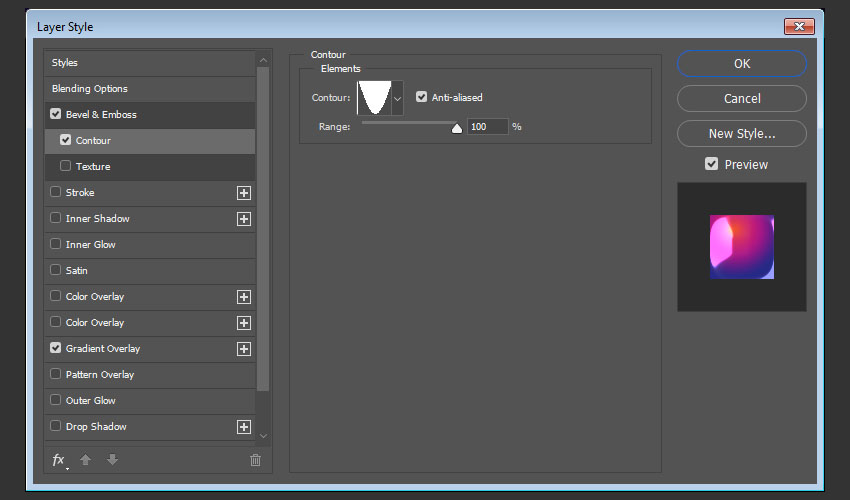
This will create the styled tip that we will use for the Mixer Brush Tool later.
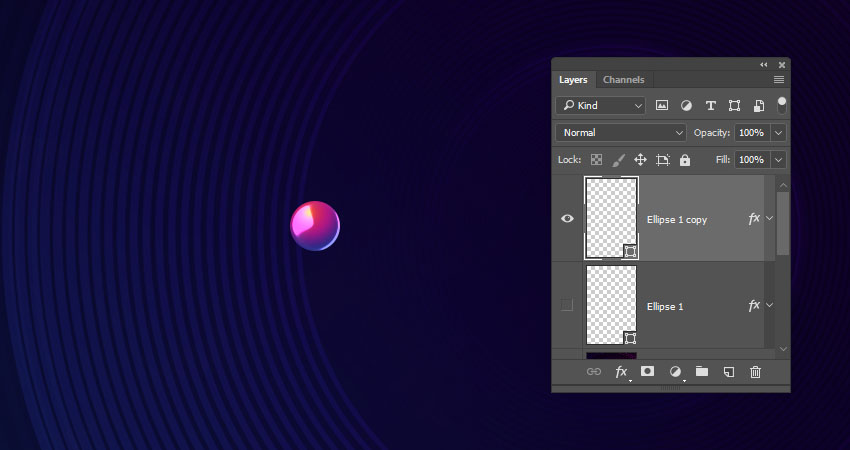
Step 6
Since the styled shape needs to be rasterized to be used for the Mixer Brush, you can duplicate its layer first to keep a copy, hide it, and right-click the copy to choose Rasterize Layer Style.
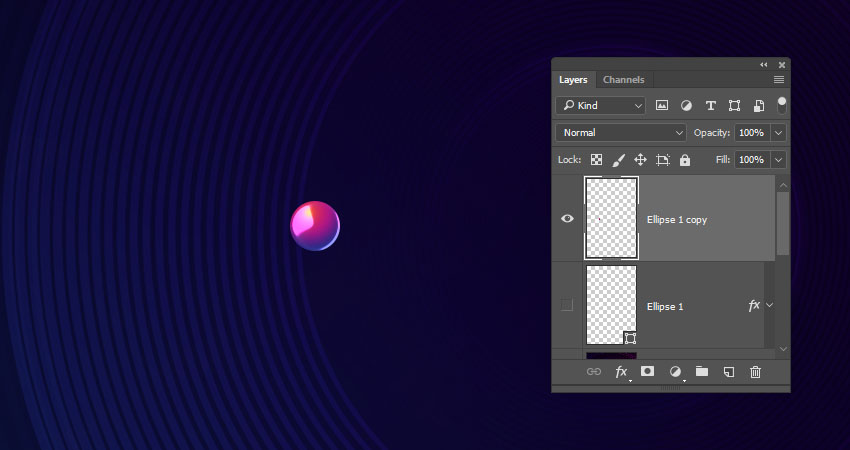
3. How to Create a Text Work Path
Step 1
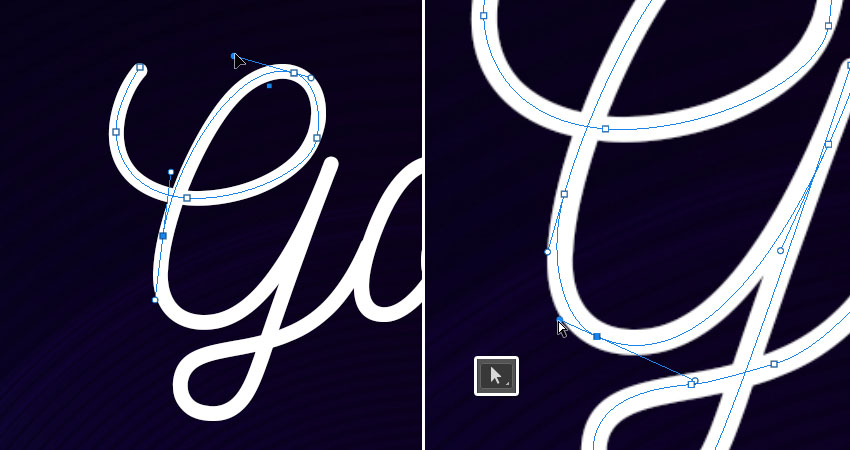
Pick the Pen Tool and choose the Path option in the Options bar.
Click to add anchor points, and click-drag to create curves.

Step 2
While you're creating the path, you can press-hold the Command key to temporarily select and adjust the anchor points and their direction lines and points.
Another way to do that would be by using the Direct Selection Tool (A) instead.
When you finish creating a letter's work path, Command-click anywhere outside it.
 情非得已
情非得已
-
 Photoshop制作復古風格的老照片效果【英】2018-04-23
-
 Photoshop合成長著創意大樹的長頸鹿【英】2018-04-23
-
 Photoshop合成冰凍特效的金魚場景【英】2018-02-10
-
 Photoshop合成夢幻風格的森林場景【英】2018-02-10
-
 Photoshop合成正在施法的巫師【英】2018-02-10
-
 Photoshop制作金屬質感的3D立體字【英】2018-01-09
-
 Photoshop設計火焰燃燒藝術字教程【英】2018-01-09
-
Photoshop制作復古風格的老照片效果【英】
相關文章11882018-04-23
-
 Photoshop制作黃金質感立體字【英】
相關文章7422018-02-10
Photoshop制作黃金質感立體字【英】
相關文章7422018-02-10
-
 Photoshop制作復古雙重曝光字體
相關文章6532018-01-09
Photoshop制作復古雙重曝光字體
相關文章6532018-01-09
-
 Photoshop制作木地板LOGO刻印效果【英】
相關文章19272018-01-09
Photoshop制作木地板LOGO刻印效果【英】
相關文章19272018-01-09
-
Photoshop制作金屬質感的3D立體字【英】
相關文章4612018-01-09
-
 Photoshop制作復古花朵組成的藝術字【英】
相關文章3802018-01-09
Photoshop制作復古花朵組成的藝術字【英】
相關文章3802018-01-09
-
 Photoshop制作可愛的糖果餅干字【英】
相關文章6722017-12-25
Photoshop制作可愛的糖果餅干字【英】
相關文章6722017-12-25
-
 Photoshop制作夢幻耶穌光和高光背景【英】
相關文章6002017-12-16
Photoshop制作夢幻耶穌光和高光背景【英】
相關文章6002017-12-16