Photoshop設計火焰燃燒藝術字教程【英】(5)
文章來源于 Tutsplus,感謝作者 Rose 給我們帶來經精彩的文章!10. How to Add Heavy Smoke Images
Step 1
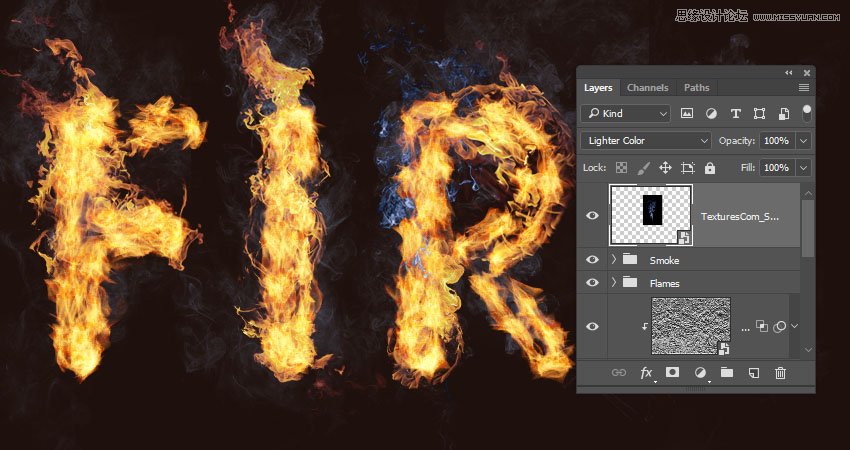
We are going to add more smoke images to create more depth.
So add a new smoke image, change its layer's Blend Mode to Lighter Color, place it over any part of the text, and transform it as needed.
Step 2
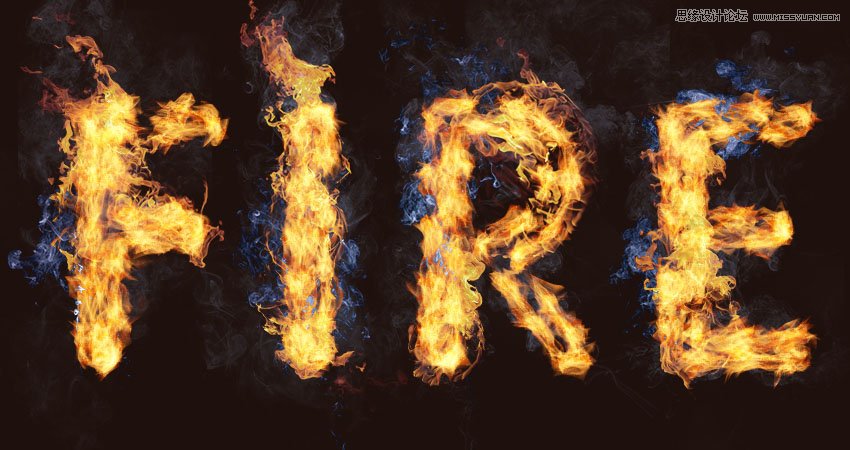
Add a few more smoke images using the same Blend Mode, and keep them a little bit smaller in size than the lighter ones.
Step 3
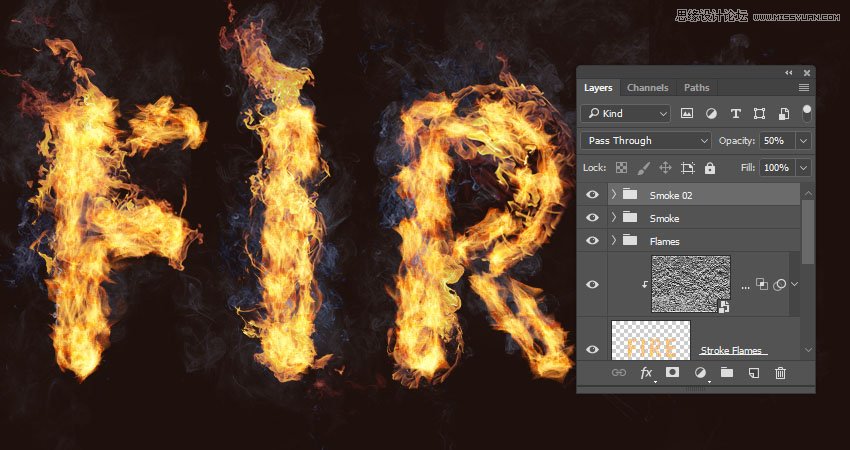
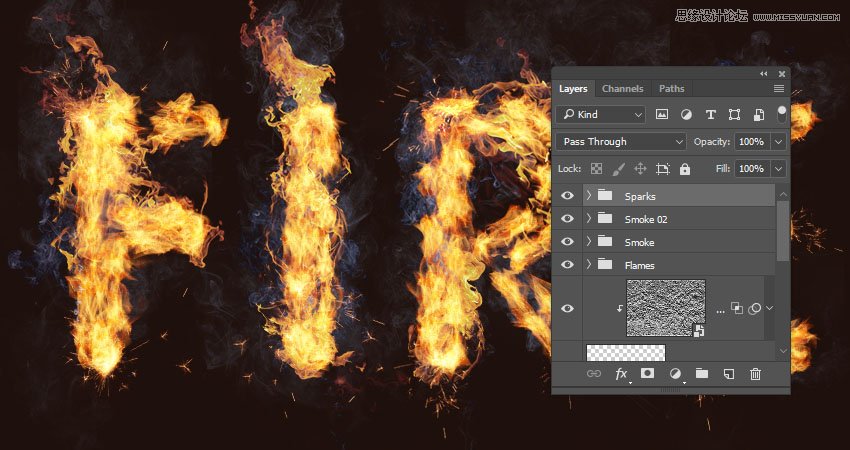
Place all the new smoke image layers in a group and name it Smoke 02, and change the group's Opacity to 50%, or any value you like depending on the effect you want.
11. How to Add Sparks
Step 1
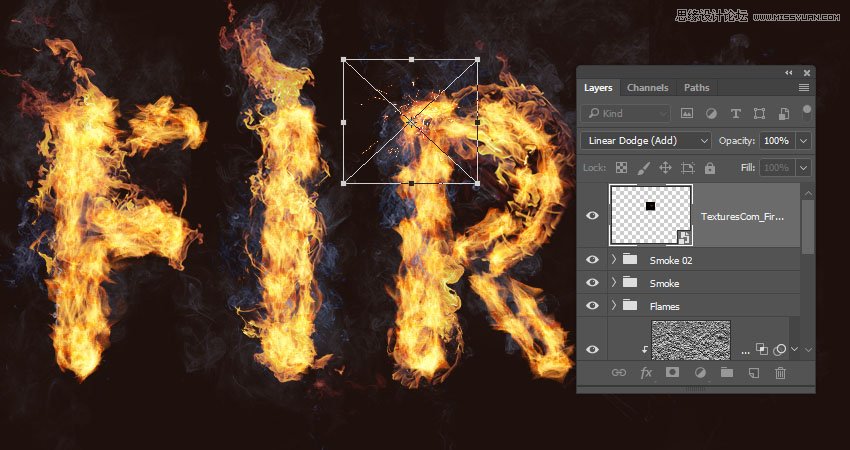
Place one of the Fireworks0023 images over any part of the text, change its layer's Blend Mode to Linear Dodge (Add), and transform it as needed.
Step 2
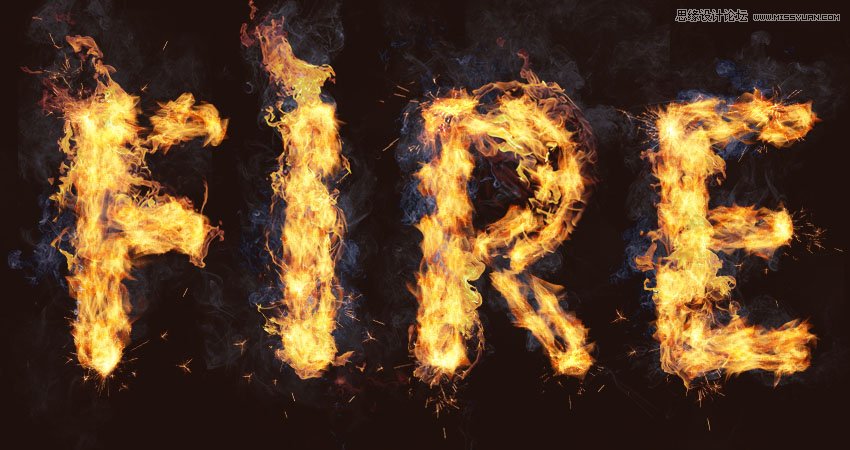
Repeat the same steps to add more sparks all over the text.
Step 3
Place all the spark image layers in a group and name it Sparks.
12. How to Create an Outer Glow
Step 1
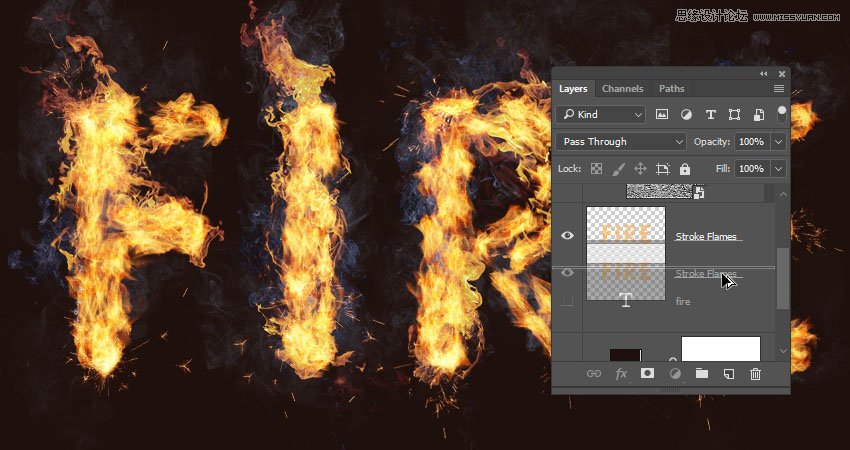
Press-hold the Option key, and click-drag the Stroke Flames layer downwards to create a copy below the original.
Step 2
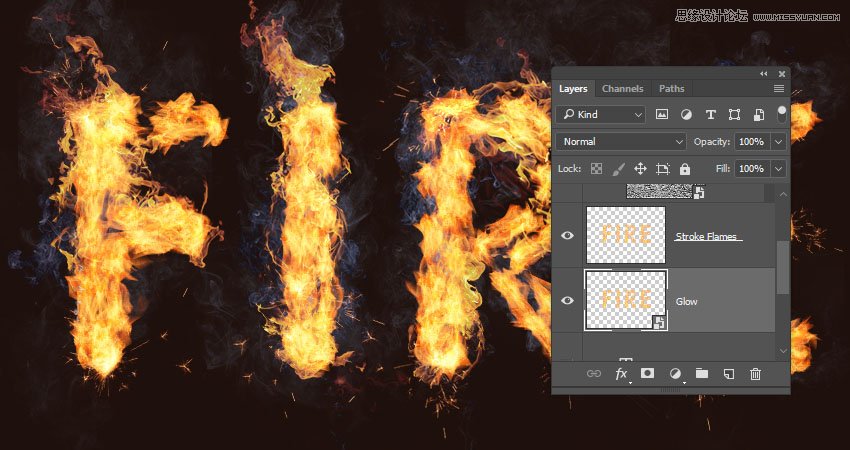
Rename the copy layer to Glow, right-click it, and choose Convert to Smart Object.
Step 3
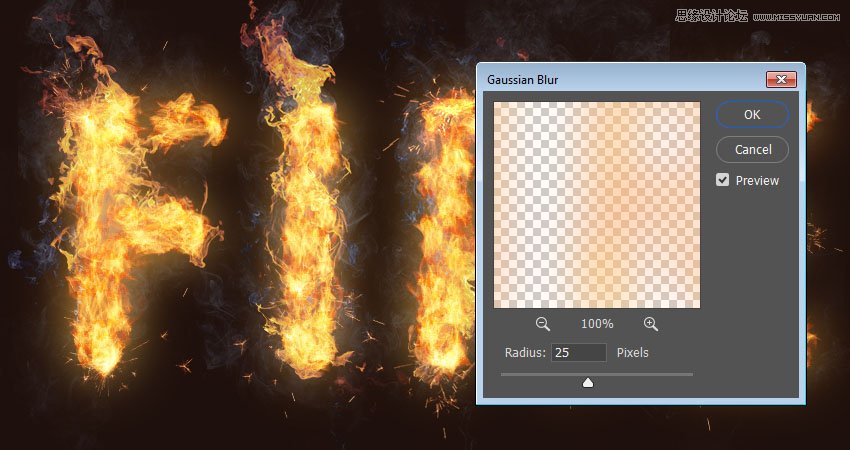
Go to Filter > Blur > Gaussian Blur, and set the Radius to 25.
Step 4
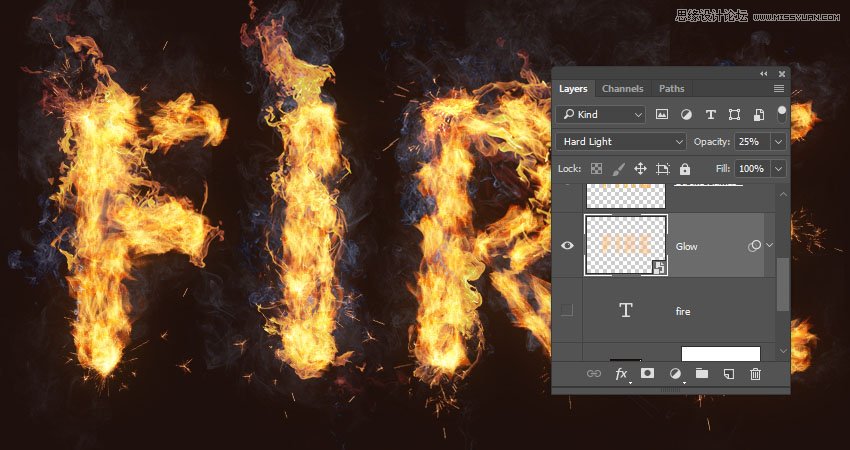
Change the Glow layer's Blend Mode to Hard Light and its Opacity to 25%.
 愛你不要你
愛你不要你
-
 Photoshop制作復古風格的老照片效果【英】2018-04-23
-
 Photoshop合成長著創意大樹的長頸鹿【英】2018-04-23
-
 Photoshop合成冰凍特效的金魚場景【英】2018-02-10
-
 Photoshop合成夢幻風格的森林場景【英】2018-02-10
-
 Photoshop合成正在施法的巫師【英】2018-02-10
-
 Photoshop制作金屬質感的3D立體字【英】2018-01-09
-
 Photoshop設計火焰燃燒藝術字教程【英】2018-01-09
-
 Photoshop制作復古花朵組成的藝術字【英】
相關文章3802018-01-09
Photoshop制作復古花朵組成的藝術字【英】
相關文章3802018-01-09
-
 Photoshop制作毛茸茸的圣誕節字體【英】
相關文章8882017-12-16
Photoshop制作毛茸茸的圣誕節字體【英】
相關文章8882017-12-16
-
 Photoshop合成創意的英雄戰斗場景教程【英】
相關文章5802017-12-12
Photoshop合成創意的英雄戰斗場景教程【英】
相關文章5802017-12-12