Photoshop制作黃金質感立體字【英】(6)
文章來源于 Tutsplus.com,感謝作者 Rose 給我們帶來經精彩的文章!Step 6
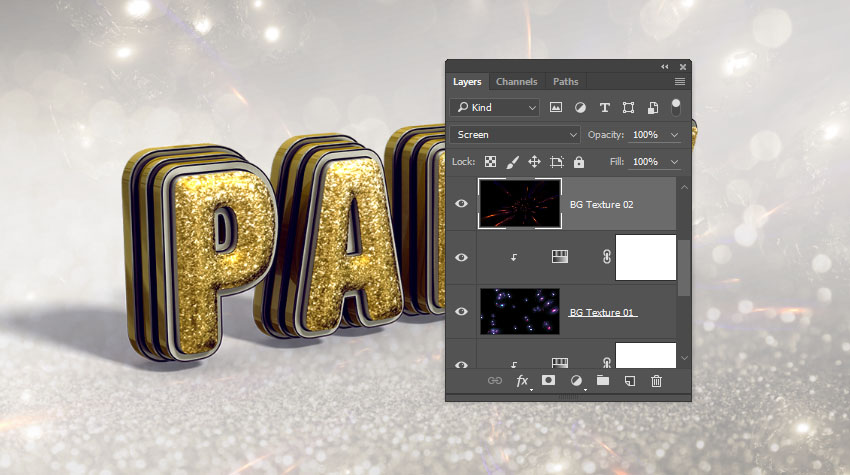
Place the Platinafx4 image from the C4d Pack 12 By Platina set on top of the BG Texture 01 layer, and rename its layer to BG Texture 02.
Change the BG Texture 02 layer's Blend Mode to Screen, and resize it as needed.
Step 7
Add a Hue/Saturation adjustment layer, clip it to the BG Texture 02 layer, check the Colorize box, and change the Hue to 35.

16. How to Add Sparkles
Step 1
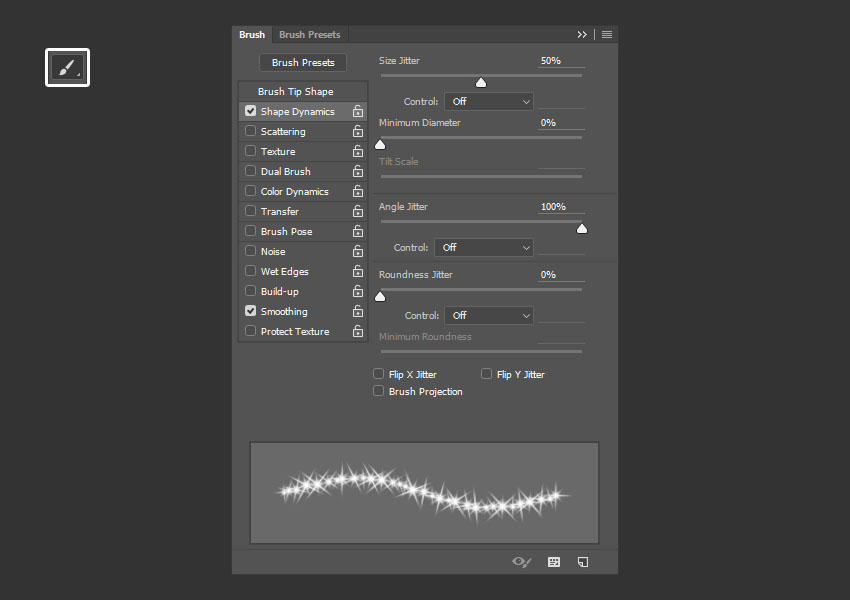
Pick the Brush Tool, and open the Brush panel (Window > Brush).
Choose a brush tip you like from the Stars and Flares Brush Set, and then, under the Shape Dynamics tab, change the Size Jitter to 50%, and the Angle Jitter to 100%.
Step 2
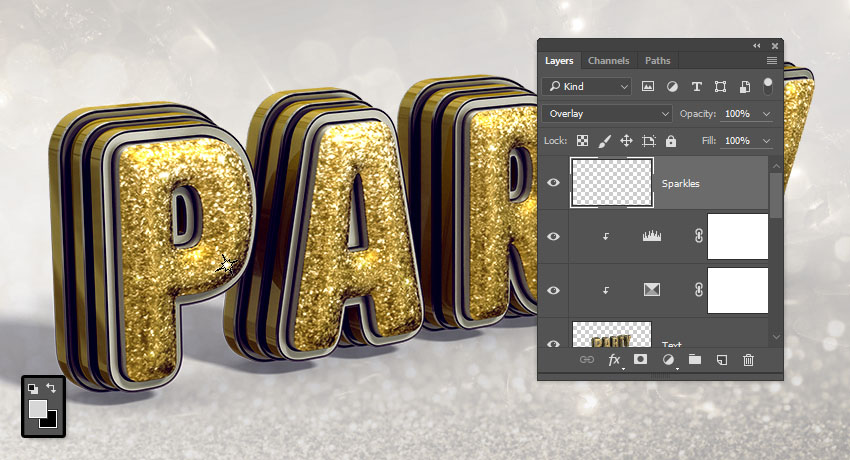
Set the Foreground Color to #d6d6d6, create a new layer on top of all layers, call it Sparkles, and change its Blend Mode to Overlay.
Decrease the brush tip Size to a value that you think looks good for the text, and start clicking over some bright areas of the text to add the sparkles.
17. How to Modify a Gradient Map
Step 1
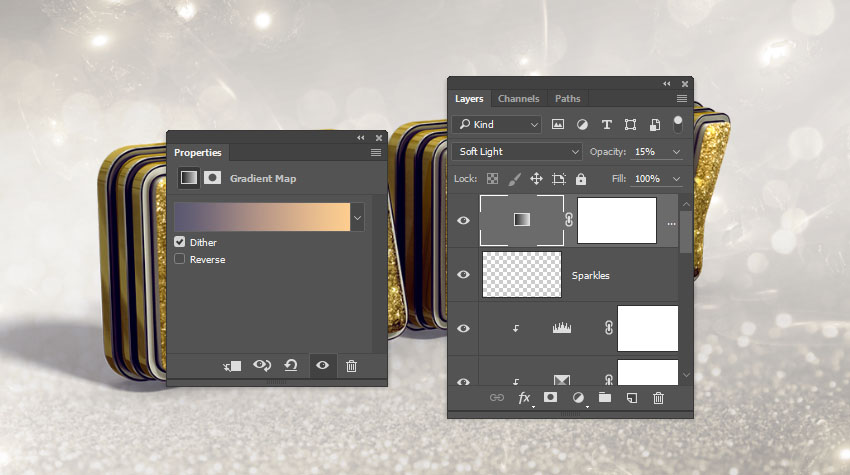
Add a Gradient Map adjustment layer, and change its Blend Mode to Soft Light and its Opacity to 15%.
Check the Dither box, and then create the Gradient fill using the colors #5a5871 to the left, #b79787 in the center, and #fdcd90 to the right.
Advertisement
Step 2
You can try different colors and Opacity values to get different results if you like.

Congratulations! You're Done
In this tutorial, we created a text layer, converted it into a shape layer, and created the stroke layers.
Then, we converted the shape layers into 3D layers, and modified their settings. After that, we created the 3D materials, worked on the lighting of the scene, and rendered it.
Finally, we worked on the coloring and the background, using adjustment layers and textures, as well as adding some sparkles to finish off the effect.
Please feel free to leave your comments, suggestions, and outcomes below.

 情非得已
情非得已
-
 Photoshop制作復古風格的老照片效果【英】2018-04-23
-
 Photoshop合成長著創意大樹的長頸鹿【英】2018-04-23
-
 Photoshop合成冰凍特效的金魚場景【英】2018-02-10
-
 Photoshop合成夢幻風格的森林場景【英】2018-02-10
-
 Photoshop合成正在施法的巫師【英】2018-02-10
-
 Photoshop制作金屬質感的3D立體字【英】2018-01-09
-
 Photoshop設計火焰燃燒藝術字教程【英】2018-01-09
-
Photoshop制作復古風格的老照片效果【英】
相關文章11882018-04-23
-
 Photoshop制作驚艷大氣的3D立體字
相關文章14682018-02-10
Photoshop制作驚艷大氣的3D立體字
相關文章14682018-02-10
-
 Photoshop制作復古雙重曝光字體
相關文章6532018-01-09
Photoshop制作復古雙重曝光字體
相關文章6532018-01-09
-
 Photoshop制作木地板LOGO刻印效果【英】
相關文章19272018-01-09
Photoshop制作木地板LOGO刻印效果【英】
相關文章19272018-01-09
-
Photoshop制作金屬質感的3D立體字【英】
相關文章4612018-01-09
-
 Photoshop制作復古花朵組成的藝術字【英】
相關文章3802018-01-09
Photoshop制作復古花朵組成的藝術字【英】
相關文章3802018-01-09
-
 Photoshop制作可愛的糖果餅干字【英】
相關文章6722017-12-25
Photoshop制作可愛的糖果餅干字【英】
相關文章6722017-12-25
-
 Photoshop制作夢幻耶穌光和高光背景【英】
相關文章6002017-12-16
Photoshop制作夢幻耶穌光和高光背景【英】
相關文章6002017-12-16